
Getting started
Jira’s Watch feature reports every small change until the important ticket drowns in noise. HeadsUp works the other way around: it stays quiet until exactly the defined event happens.
The three tools
Section titled “The three tools”| Tool | Example | |
|---|---|---|
| 📌 | Ticket reminders | “Notify me when this ticket moves to In Review” or “Remind me every Monday at 9:00” |
| 📡 | Filter alert | “Notify me when any ticket in project X gets blocked” |
| 🤖 | AI detection | “Notify me when a customer complains, in any ticket” |
The welcome dialog
Section titled “The welcome dialog”When HeadsUp is opened for the first time, a short welcome dialog appears: what the app does, the three ways to say what matters, and where to start. Get started closes it, and a link next to it opens this documentation. The dialog appears once per user; it only comes back when that user deletes all of their data in the app.
The first reminder in under a minute
Section titled “The first reminder in under a minute”- Open any Jira ticket.
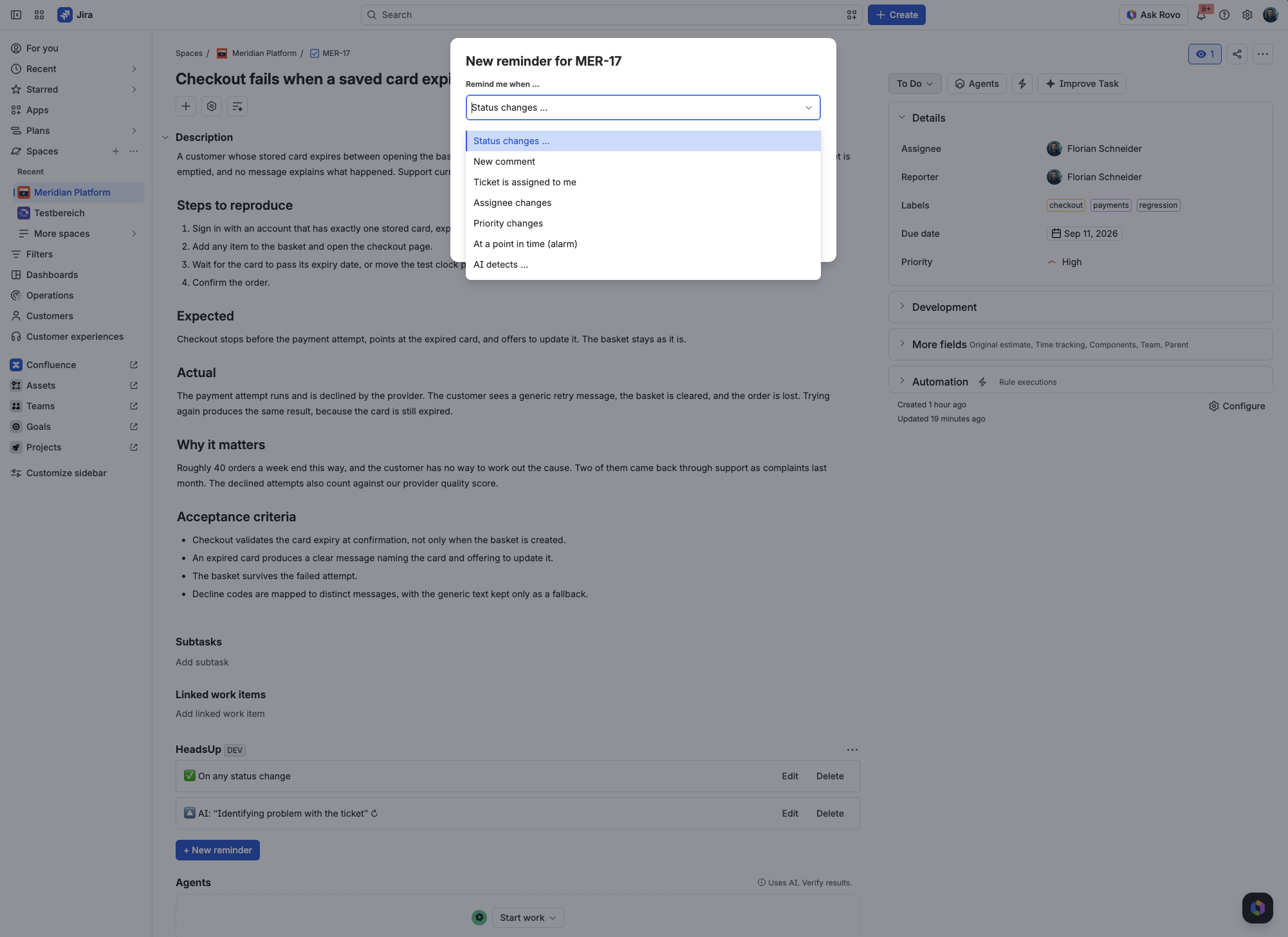
- Find the HeadsUp panel and select + New reminder.
- Pick a trigger, for example a target status, and save.
HeadsUp sends an email as soon as the event happens. Every notification also appears in the built-in inbox: Apps in the top navigation, then HeadsUp, then the Notifications tab. HeadsUp notifications do not appear in Atlassian’s own notification bell, because a Forge app cannot place anything there.
Languages
Section titled “Languages”The interface and all notifications follow the Atlassian profile language of each user: English, German, Spanish and French, with English as fallback. The interface switches as soon as the profile language changes. A reminder keeps the language it was created in: notifications for older reminders keep arriving in the previous language, and editing a reminder does not change that either.
Requirements
Section titled “Requirements”- Jira Cloud or Jira Service Management Cloud.
- HeadsUp installed on the site (see Setup and permissions).
- No configuration is required: every user creates and manages only their own reminders.